How to Build a Claude OS for Your Revenue Team
Context files, skills, memory, and approval rails: the four layers that turn Claude from a chat window into an operating system your whole team runs on.
TL;DR
- A Claude OS is not a prompt library. It is four layers that compound: context files that teach Claude your business, skills that encode your workflows, memory that survives sessions, and approval rails that make automation safe enough to trust.
- Context comes first and carries most of the value. One well-maintained CLAUDE.md per domain beats a hundred clever prompts, because every session starts already knowing your ICP, your rules, and your current state.
- Skills are workflows, not prompts. The difference: a skill states when it should run, what it reads, what it writes, and where it must stop for a human. That last part is what makes teammates trust it.
- Memory is the layer everyone skips and then regrets. Without a write-back ritual, every session relearns the same lessons. With one, corrections made in March still hold in August.
- Build order matters: context, then one high-frequency skill, then memory, then gates, then team onboarding. Teams that start by automating sends before building context ship embarrassing mistakes at machine speed.
Most teams meet Claude as a chat window: paste some context, get an answer, lose everything when the tab closes. The teams getting 10x leverage run it differently. They treat Claude as an operating system: a persistent, shared layer that knows the business, executes real workflows against real tools, remembers what it learned, and stops at the moments that need human judgment. We run our own agency this way, and we build the same architecture inside client revenue teams. This is the build guide.
What a Claude OS actually is
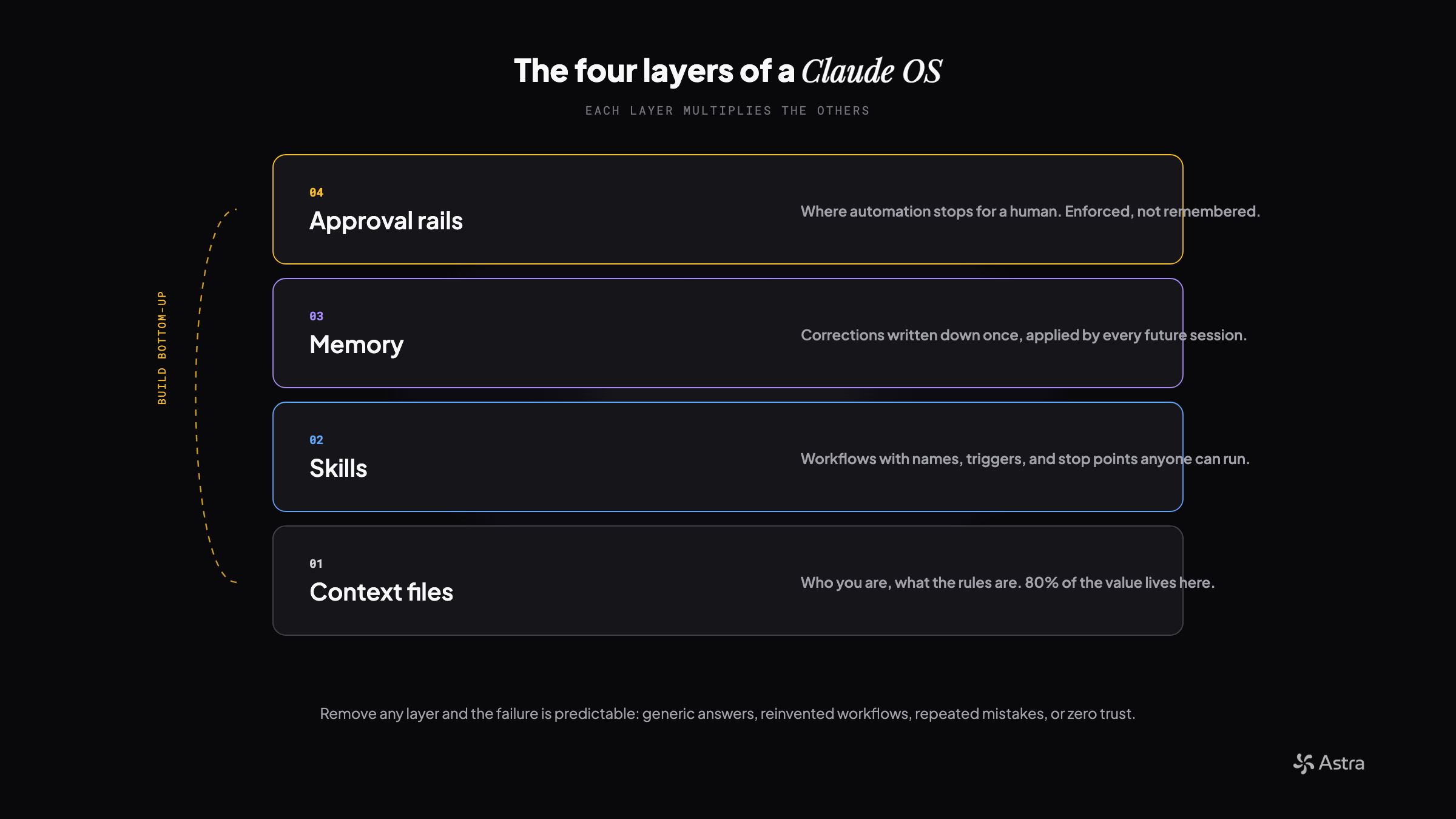
| Layer | Lives in | Owner | Update cadence |
|---|---|---|---|
| Context files | CLAUDE.md + one state file per domain | Whoever is closest to revenue | Every working session |
| Skills | One markdown file per workflow, in git | The person who ran it manually | On each correction |
| Memory | One fact per file + a small index | Everyone, same-session | The moment a correction lands |
| Approval rails | Inside each skill; in code when stakes justify | Owner of the send/spend | Rarely, deliberately |
Layer 1: Context files, the foundation layer
Claude reads designated context files at the start of every session. That single mechanic is the foundation of everything else, because it means the hundredth session starts as informed as the first one ended. The craft is deciding what earns a place in always-loaded context versus what gets loaded on demand.
- A root file that carries identity and rules: what the company does, the voice, the hard constraints, and pointers to everything else. Keep it under two pages. Every line in it is a tax on every single session, so each line has to earn its place.
- One living state file per domain: current campaigns, active deals, open decisions. Updated at the end of every working session, trimmed on a size budget so history moves to an archive instead of accumulating.
- Rules that load themselves only when relevant: copy standards that appear when writing copy, data rules that appear when touching the CRM. Scoped loading keeps the always-on footprint small.
- Machine-readable config where code needs it: ICPs, personas, and integration settings live in structured files that both Claude and your scripts read, so there is exactly one source of truth.
✗ Don't do this
Paste the whole sales deck, the pricing sheet, and last quarter's board update into one giant context file so Claude has everything.
✓ Do this instead
Ask of every line: does a random Tuesday session need this? Identity, rules, and pointers stay always-on. Everything else lives one hop away in a named file the session opens when the task calls for it.
Layer 2: Skills, workflows with names
A skill is a markdown file that defines a workflow: when it should run, what context it reads first, the steps it executes, and where it must stop for approval. Once it exists, anyone on the team can type one command and get the same procedure, at the same quality, with the same guardrails. This is the difference between one power user and an operating system.
- 01Start from a workflow someone already does weekly. The best first skill is boring and frequent: a reply-triage pass, a weekly report, a list-building pipeline. Frequency is what pays back the build.
- 02Write the trigger conditions into the skill itself: when it applies, and just as important, when it does not. Skills that fire in the wrong situations get disabled by annoyed teammates within a month.
- 03Make every skill read the relevant context files before acting. A skill that drafts replies should load the client's voice rules and current campaign state first, every time, automatically.
- 04Define the stop points explicitly. Draft, then wait. Build the list, then show a sample before the full run. The skill should know which actions are reversible and which are not.
- 05Version them in git like code, because they are code. Review changes, keep a catalog, and retire skills that stopped earning their keep.
Layer 3: Memory, so corrections stick
Every working session produces learnings: a client preference, an API quirk, a mistake you never want repeated. Without a memory layer these die with the session. The fix is structural, not heroic: an end-of-session ritual that routes each learning to a durable home, and an index that future sessions actually load.
- One fact per file, with a one-line summary in a small index. The index is what loads; the detail stays one hop away. An index that grows without limit silently truncates, which means your memory system lies to you.
- Corrections get written down the moment they happen. If a teammate says never phrase it that way again, that sentence becomes a memory file in the same session, with the why attached.
- Tool quirks live with the tool. When an API behaves differently than documented, the note goes in that tool's reference card, dated, with the evidence. The next session checks the card before blaming the API.
- Memory decays, so date everything. A note about a platform's behavior from six months ago is a hypothesis, not a fact. Dated notes let future sessions weigh them honestly.
Layer 4: Approval rails, the trust layer
The reason most teams never let AI touch anything real is that they never built the layer that makes it safe to. Approval rails are explicit, non-negotiable stop points written into skills and, where the stakes justify it, enforced in code rather than prose: nothing external ships without a human seeing it rendered first, destructive operations are simply unavailable, and bulk operations run a small sample before the full batch. The counterintuitive result is that stronger rails produce more automation, not less, because people delegate more when they can see exactly where the machine will stop.
Rails that have earned their keep
- Anything customer-facing is drafted and reviewed, never auto-sent. The review is of the rendered artifact, not the code that generates it.
- Dry-run first, then a sample, then the full batch. Every bulk operation, every time, no exceptions for being in a hurry.
- Verification is part of done. A change is not finished when the code runs; it is finished when the corrected behavior is observed live.
- The queue of record is checked before acting, because a task marked complete is not the same thing as the action having happened.
Onboarding the team into it
An operating system one person uses is a personal productivity hack. The compounding starts when the whole revenue team works inside it. Onboarding is mostly about making the invisible visible: what exists, how to invoke it, and what the conventions are.
- 01Give every teammate the same entry point: a short onboarding doc that lists the skills, the context files, and the three conventions that matter most. First session is a guided run of one skill, not a lecture.
- 02Route each role to the workflows built for it: the SDR gets reply triage and call prep, marketing gets content and list workflows, RevOps gets the data and reporting skills.
- 03Make contribution cheap. When someone corrects Claude, that correction should land in memory in the same conversation, without a separate documentation chore.
- 04Expect the skeptic curve: adoption follows trust, and trust follows the first time the system catches a mistake instead of causing one.
The 30-day build order
- 01Week 1: context only. Root file, one domain state file, voice and rules. Use it for real work daily and edit the context every time an answer comes back generic.
- 02Week 2: first skill. Pick the highest-frequency workflow, encode it with its stop points, run it side by side with the manual version until it wins.
- 03Week 3: memory. Add the end-of-session ritual and the index. Backfill the ten lessons you already learned the hard way in weeks one and two.
- 04Week 4: rails and rollout. Write the approval gates into every skill, run the guided onboarding session, and hand each teammate one workflow they own inside the system.
Where teams go wrong
- Automating sends before building context. You get generic outreach at machine speed, which is worse than slow generic outreach.
- One hero, no system. If it all lives in one person's chat history, you have a dependency, not an operating system.
- Skills without stop points. The first unreviewed mistake that reaches a customer sets adoption back a quarter.
- Memory as a diary instead of an index. Ten thousand words nobody loads is the same as nothing. Small index, detail one hop away.
- Treating it as an IT project. The people closest to revenue have to own the context and the corrections, because they are the only ones who know when something is wrong.
The pattern behind all four layers is the same: move knowledge out of heads and chat histories into files the system reads, and move judgment out of vibes into explicit, written gates. Do that and the business starts to compound in a way headcount never does. Every session smarter than the last one. That is the whole point.
Get the runnable version
Enter your email and we'll send you this playbook, plus the open GitHub repo of setup skills when it ships.
Want this built for your team?
We build and run these systems embedded with your team.